> For the complete documentation index, see [llms.txt](https://docs.aethir.com/llms.txt). Markdown versions of documentation pages are available by appending `.md` to page URLs; this page is available as [Markdown](https://docs.aethir.com/checker-guide/how-to-run-checker-nodes/export-burner-wallet.md).
# Export Burner Wallet
You can export the burner wallet for the following scenarios:
1. Export the public key (i.e., the burner wallet address) to allow the node owner to initiate the Delegation process.
2. Export the private and public key pair to migrate the burner wallet to a new machine. **Please note this is the only scenario where the private key is needed!**
#### **Linux CLI**
Export wallet `aethir wallet export`
#### **Windows GUI**
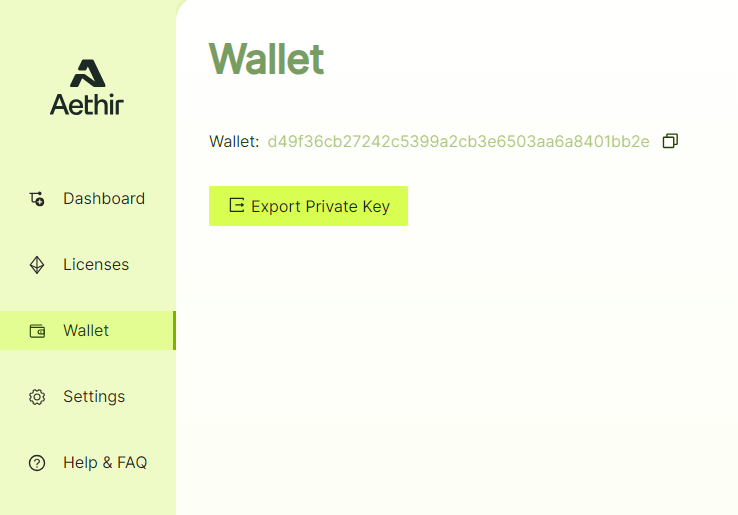
Navigate to the Wallet tab. The public key (i.e., the burner wallet address) is displayed on the page.
Checker Client - Wallet
Click on "Export Private Key" to view the private key.
{% embed url="" %}