> For the complete documentation index, see [llms.txt](https://docs.aethir.com/llms.txt). Markdown versions of documentation pages are available by appending `.md` to page URLs; this page is available as [Markdown](https://docs.aethir.com/checker-guide/how-to-manage-checker-nodes/claim-and-withdraw.md).
# Claim & Withdraw
Once your Checker Node earns rewards, you can claim them and begin a **180-day vesting period**. Before you start, ensure you’re not in a [**restricted country**](#restricted-countries) and that your [**KYC**](#kyc) is completed.
* **Claim**: Start vesting by selecting a vesting period.
* **Withdraw**: Transfer ATH that has already completed vesting to your wallet.
**Note**: The standard vesting period changed from 120 to 180 days on Oct 10, 2024.
#### Early Withdraw Penalty
If users wish to withdraw early and select the claim period of 30 days, **75% penalty** will be applied. The deducted amount will be confiscated by the platform and enter the Aethir total pool.
#### Fees
Both **Claim** and **Withdraw** are on-chain transactions and require **standard gas fees**.
Each **claim** also includes a **5 ATH platform fee**.
#### How Claiming Works
When you claim, your vATH begins vesting into ATH over 180 days.
{% hint style="info" %}
**vATH & ATH**
**vATH (virtual ATH)** represents potential rewards that have been earned but not yet claimed. It is an off-chain virtual representation of rewards before claiming.
**ATH** is the actual cryptos that can be used within the Aethir ecosystem after the vesting period.
{% endhint %}
#### **Steps to Claim**
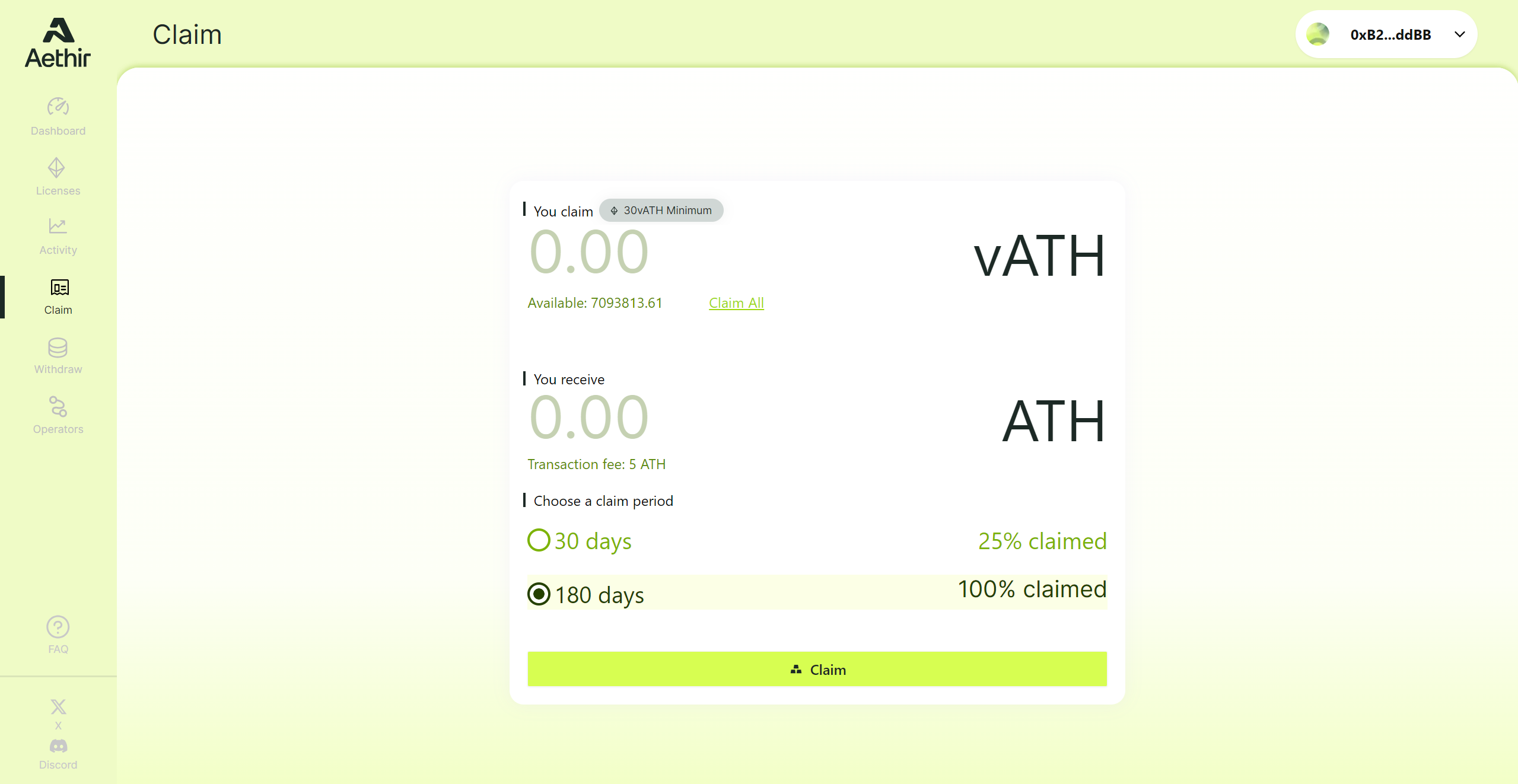
Checker Owner Portal - Claim
1. Go to **Claim** in the owner portal.
2. Enter the **amount to claim** (minimum: 30 vATH).
3. Choose a **vesting period**:
* **180 days** (default): receive the full amount minus the 5 ATH fee.
* **30 days**: receive 25% of the amount minus the 5 ATH fee.
4. Review the converted amount.
5. Click **Confirm** and **sign the transaction in your wallet**.
6. After a successful claim, the tokens move to **Claimed (Vesting)**. The transaction appears on [Arbitrum](https://arbiscan.io/) and in Activity.
If you don’t sign or you cancel the transaction, it **expires in 10 minutes** and the amount returns to your claimable balance.
#### **Steps to Withdraw**
Checker Owner Portal - Withdraw
1. Go to **Withdraw** in the owner portal.
2. Your available withdrawable ATH is shown. Click **Withdraw** to withdraw all of it.
3. **Sign the transaction in your wallet.**
4. After success, the ATH is transferred to your wallet and visible on [Arbitrum](https://arbiscan.io/) and in Activity.
If you don’t sign or you cancel the transaction, it **expires in 10 minutes** and the amount returns to your withdrawable balance.
#### Restricted Countries
Currently we do not support claim and withdraw activities from US and OFAC/UN-sanctioned countries, including Cuba, Iran, North Korea, Syria, Crimea, Donetsk People’s Republic, and Luhansk People’s Republic regions.
Please make sure you are not in the restricted countries. Otherwise, you will see the error prompt "Your ip address belongs to a restricted country. Please contact support!"
#### KYC
Pleaset note to comply with AML regulations, all users must complete KYC before they can claim or withdraw ATH earned through our products. For more details please go to page [Complete KYC Verification](/aethir-tokenomics/complete-kyc-verfication.md).